

Guidance on Travel eSIMs
Travel eSIMs can be a convenient way to get mobile connectivity, especially when travelling. However, unlike other telecoms services in the Bailiwick, travel eSIMs are not regulated by the GCRA. This guide explains what an eSIM is, why people use them, what to check before buying one, and how to avoid common problems.
We are Guernsey’s independent competition and regulatory authority. Our role includes helping to protect consumers, like you, by making sure telecoms services are provided fairly, clearly and in line with local regulatory requirements.
We do not recommend providers, but we want islanders to have clear, practical information so they can make informed choices. This is particularly important where new services, such as travel eSIMs, are bought online from a wide range of providers, some of which may be based outside Guernsey.
Travel eSIM Guide
A travel eSIM is a digital, or virtual, SIM card. Instead of putting a physical SIM card into your phone, you download a mobile profile onto your device.
Travel eSIMs can be a convenient and affordable way to stay connected while travelling. However, travel eSIM services are not regulated in Guernsey in the same way as other telecoms services you may be familiar with.
This means it is important to understand what you are buying, who you are buying from, and what support or protections may be available if something goes wrong.
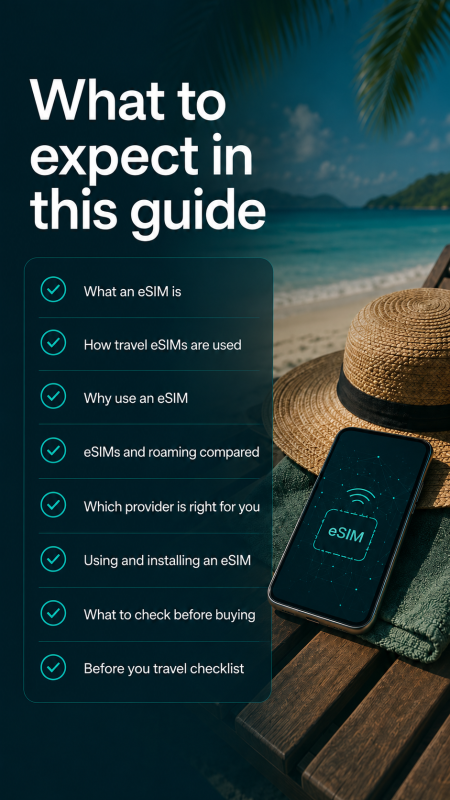
This guide explains what to check before buying, installing or using a travel eSIM.
We recommend that you download and save our Travel eSIM Checklist so you have the key information to hand before you buy, install or activate your eSIM.
Understand travel eSIMs
In this section, we explain why travel eSIMs may not offer the same protections as regulated telecoms services in Guernsey.
We also cover the first checks to make, whether your current mobile plan already includes roaming, and how travel eSIMs compare with normal roaming.
Does your current plan already include roaming?
Before buying a travel eSIM, check whether your existing mobile plan already includes roaming.
Some local mobile plans include roaming in certain destinations. Others may charge extra, or only include roaming in specific countries. Checking this before you travel can help you avoid paying for something you do not need, or receiving unexpected charges.
You should check:
| Question | What to look for |
|---|---|
| Is roaming included in my plan? | Check your mobile provider’s app, website, or customer account. |
| Which countries are included? | Make sure the country you are visiting is covered. |
| What is included? | Check whether roaming includes data, calls and texts. |
| Are there limits? | Check any daily limits, fair usage limits, speed restrictions or extra charges. |
| What happens if I go over the limit? | Check whether roaming stops, slows down, or results in extra charges. |
If you are unsure, contact your on-island mobile provider before you travel.
What you should check before buying a Travel eSIM
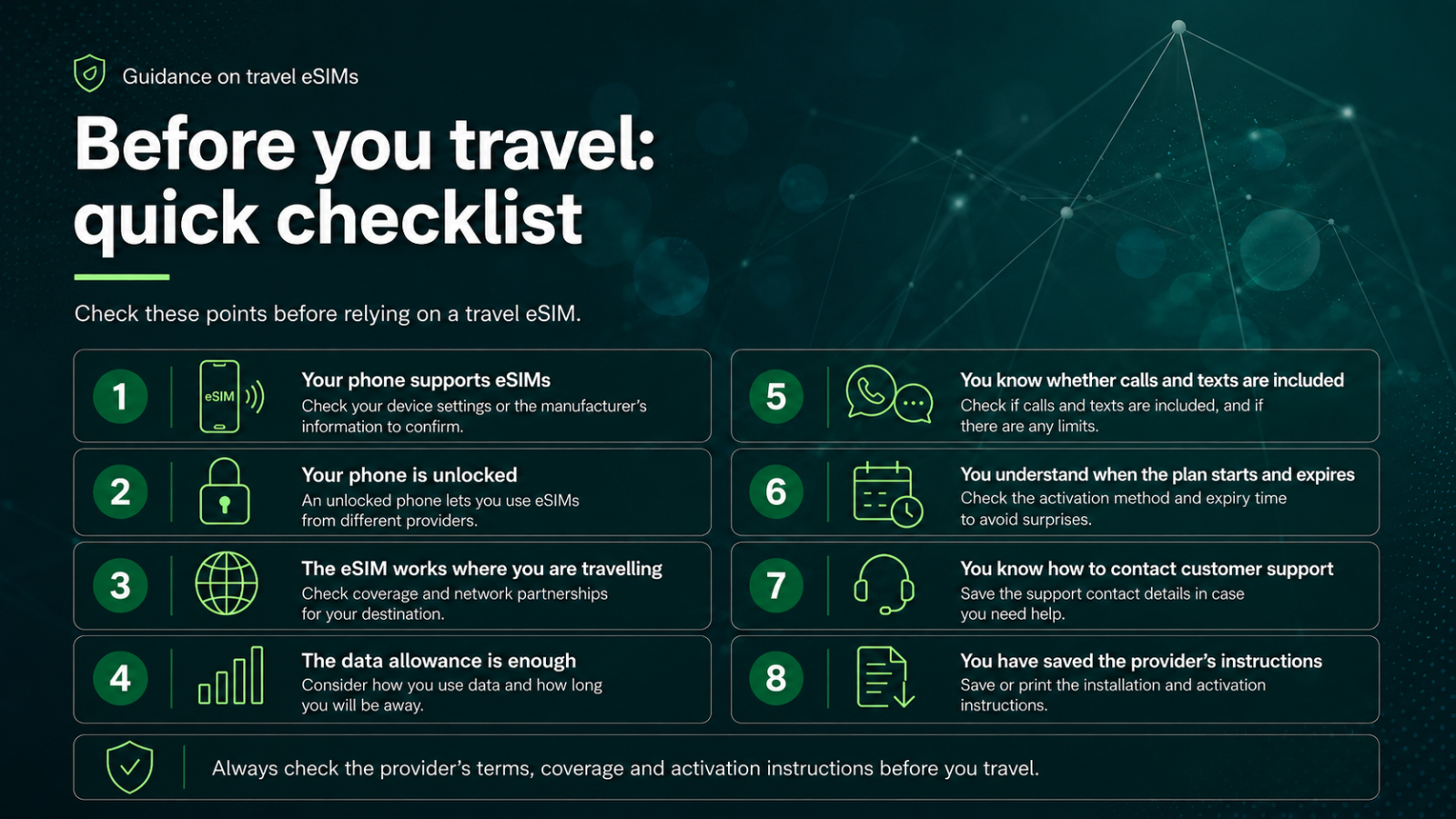
Before purchasing a travel eSIM, you should check the following important points:
| Check | Why |
|---|---|
| Your phone supports eSIMs | Not all phones can use eSIMs. |
| The eSIM covers your destination | Some plans are country-specific, while others are regional. |
| The data allowance is enough | Think about maps, messaging, browsing, streaming and how long you will be away. |
| Calls and texts are included if you need them | Many travel eSIMs are data-only. |
| You understand when the plan starts | Some plans start when installed; others start when first used. |
| You understand when it expires | Some plans expire after a fixed number of days. |
| You know how to get help | Make sure support is available while you are abroad. |

Check before you buy
In this section, we explain what a travel eSIM is and why it might be useful when travelling.
We also cover what to check when reviewing providers, including terms, refunds, complaints, customer support, personal data, and phone compatibility.
What is a Travel eSIM?
Travel eSIMs are often bought for use in a specific country, region or group of countries. They are usually bought before travelling and include a fixed allowance, such as a set amount of data for a set number of days.
Some travel eSIMs are data-only. These are often cheaper and may be suitable if you mainly use apps such as WhatsApp, FaceTime, Google Maps, email or social media, like Facebook and TikTok.
Other travel eSIMs include data, calls and texts. These may be useful if you need a local number, expect to make standard calls, or need to send or receive text messages. However, combined packages can cost more, include less data, or be available in fewer destinations.
Before buying, check whether the eSIM includes data only, calls and texts, a local number, text support, top-ups and emergency calling.
Is a Travel eSIM right for you?
| People often choose a travel eSIM because it can: | |
|---|---|
| ✓ | be cheaper than roaming |
| ✓ | give better control over costs |
| ✓ | be bought before travelling |
| ✓ | avoid the need for a physical SIM card |
| ✓ | provide mobile data as soon as you arrive |
| ✓ | allow you to keep your normal SIM active while using the eSIM for data |
However, a travel eSIM is not always the best option. Roaming with your on-island provider may be simpler, will keep your normal number fully active, and may come with better local support.
Use the table below to help you decide which one is right for you:
| Feature | Roaming | Travel eSIM |
|---|---|---|
| Uses your normal mobile number | Usually yes | Usually no |
| Uses your existing plan | Yes | No, usually a separate plan |
| Simple to use | Usually yes | Usually, but setup may be needed |
| Cost control | Depends on your on-island provider | Often pre-paid with a fixed allowance |
| Calls and texts | Usually included | Not always; many are data-only |
| Local support | Usually through your on-island provider | Depends on the eSIM provider |
| Local consumer protection | More likely if using a local licensed on-island provider | May be limited if the provider is based outside Guernsey |
Check travel eSIM providers carefully
Many travel eSIM providers are based outside Guernsey. If you buy from a provider that is not regulated in Guernsey, you may not have the same level of protection as you would when buying from a Guernsey regulated telecoms provider.
Before you buy, check the provider’s terms and conditions carefully. In particular, look at:
| What to check | Why it matters |
|---|---|
| What service is being provided | Check whether the plan includes data only, or data, calls and texts. |
| Coverage | Check that the eSIM works in the country or countries you are visiting. |
| Refunds | Check whether you can get a refund if the eSIM does not work, is not installed, or is not used. |
| Complaints | Check how to complain if something goes wrong. |
| Dispute resolution | Check what happens if you and the provider cannot resolve a complaint. |
| Customer support | Check how support is provided, when it is available, and whether it is available while you are abroad. |
| Personal information and communications data | Check what personal information the provider collects and how it will be used, stored and protected. You should also check what steps the provider takes to protect the privacy and confidentiality of your calls, texts and data usage. |
| Plan dates and expiry | Check when the plan starts, how long it lasts, and whether it expires after a set period. You should also check if the service automatically renews at the end of the set period. |
Phone Compatibility
Many modern phones allow you to use a physical SIM and an eSIM at the same time, or more than one eSIM. This can let you keep your normal number active while using a travel eSIM for mobile data.
Travel eSIMs can only be used on unlocked phones, which are phones that are not "locked" to a specific mobile provider. Typically, phones supplied by local licensed mobile providers are not locked, but you should check whenever purchasing a new phone, especially when purchasing online.
Many modern phones support travel eSIMs, including:
| Manufacturer | General guidance |
|---|---|
| Apple iPhone | iPhone XS, XR and later, including iPhone 11 and later models, generally support eSIM. |
| Samsung Galaxy | Many recent Galaxy S and Galaxy Z models support eSIM, including many Galaxy S20 and later models. |
| Google Pixel | Pixel 4 and later models generally support eSIM. Some earlier Pixel models may also support eSIM, depending on where they were bought. |
This is only a general guide. Before buying a travel eSIM, check that your exact phone model supports eSIMs, is not locked to another mobile provider, and is compatible with the travel eSIM provider’s service.
Choose and use with confidence
In this section, we help you compare the main provider options and decide which type of travel eSIM may be right for your trip.
We also explain how to install and use a travel eSIM, avoid unexpected roaming charges, and use the checklist before you go.
Which Travel eSIM is right for me?
There is no single best option. The right choice depends on where you are travelling, how long you are away, how much data you need, whether you need calls and texts, and what support you want if something goes wrong.
| Option | Positives | Things to consider |
|---|---|---|
| Local licensed mobile provider | Local customer support; subject to Guernsey telecoms obligations; local consumer support may be available where appropriate | May be more expensive than some travel eSIM options |
| Well-known travel eSIM brand, such as Airalo, Holafly or Nomad | Easy to compare plans; often app-based; good for data-only travel use | May be based outside Guernsey; many plans are data-only; support may be limited |
| Provider based in the country you are visiting | May offer good local value, coverage, calls or texts | Support may be harder to access; local rules, identity checks or language barriers may apply |
Consumers may benefit from using local licensed providers where local support and regulatory protections are important to them. This is particularly the case when islanders have roaming included in their local plan.
Some global travel eSIM providers operate entirely online and based outside of Guernsey. This does not mean the service is unsuitable, but it may affect what help is available if something goes wrong.
Before buying, check who the provider is, where the travel eSIM works, what is included, how long it lasts, whether top-ups are available, and what the refund or complaints process is.
Using a Travel eSIM
Always follow the provider’s instructions.
Some travel eSIMs can be installed before you travel and only activate when you arrive. Others may start as soon as they are installed. This is important because many travel eSIMs are valid only for a fixed number of days after activation.
Before you travel, it is sensible to:
| Action | Why it helps |
|---|---|
| Install the eSIM before you leave, if the provider recommends this | It gives you time to fix any setup problems. |
| Check when activation starts | Avoid starting the plan too early. |
| Save the installation instructions | You may need them if the eSIM does not work abroad. |
| Keep your normal SIM active if needed | This may allow you to receive calls, texts or security codes. |
| Check which SIM is being used for data | This helps avoid unexpected roaming charges. |
| Turn off data roaming on the SIM you do not want to use abroad | This can help avoid bill shock. |
An app should help you install the travel eSIM, check compatibility, track data usage, top up, and contact customer support.
After installing a travel eSIM, check your phone settings carefully. Make sure you know which SIM your phone will use for mobile data, calls and texts. If you want to avoid unexpected roaming charges, you will need to turn off data roaming on your normal SIM and select the travel eSIM for mobile data.
Our Travel eSIM Checklist

Download this checklist for your device.